Admin Dashboard
The Admin Dashboard provides a high‑level overview of key platform metrics and recent activity. It is the default landing page after logging into the admin panel and offers quick access to essential statistics and management links.
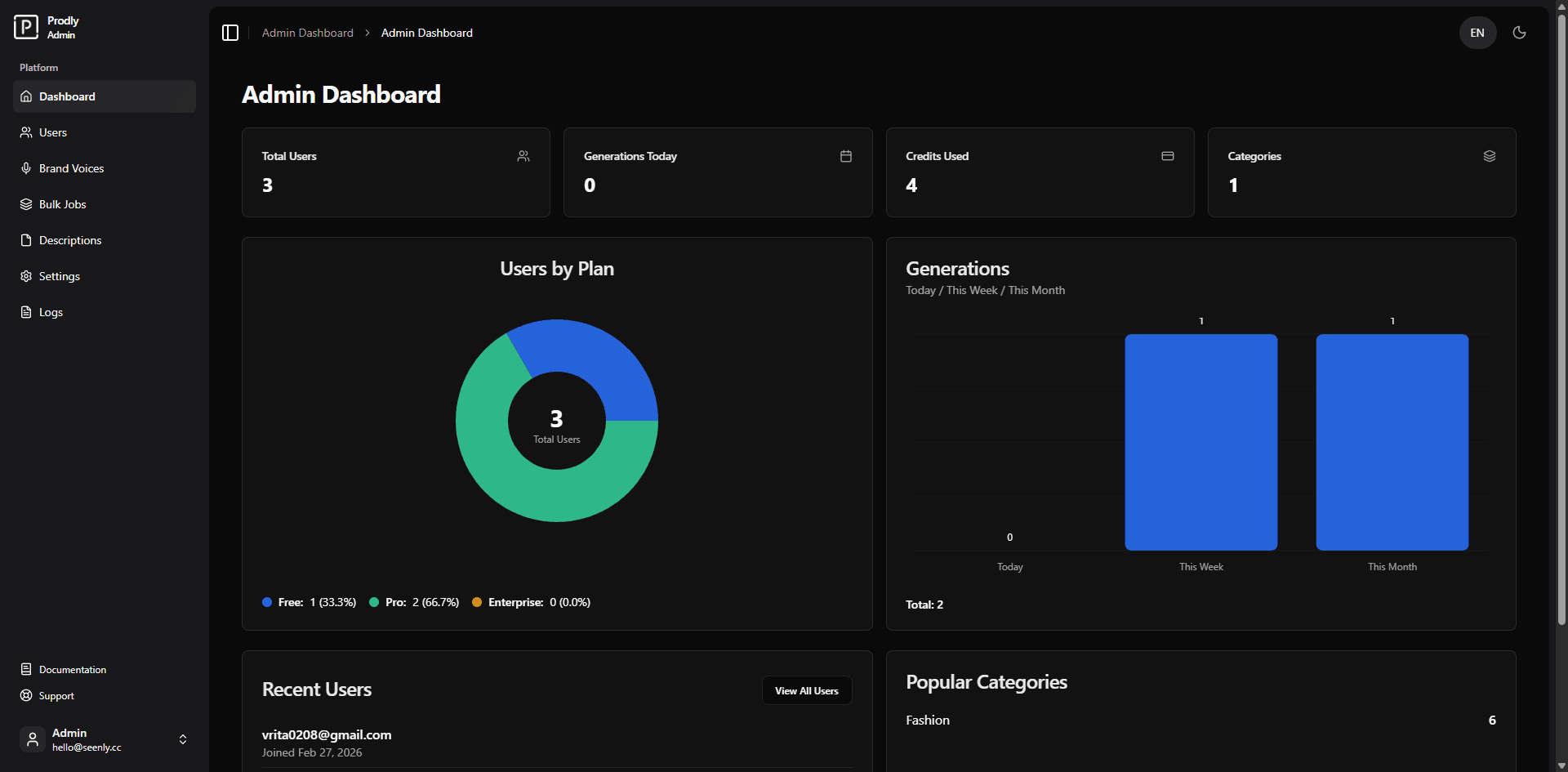 Example of the admin dashboard (screenshot placeholder)
Overview
The dashboard aggregates data from multiple sources to give administrators a snapshot of platform health and user activity. It includes:
- Statistic cards – Total users, today’s generations, total credits used, and number of active categories.
- Users by plan chart – A donut chart showing the distribution of users across Free, Pro, and Enterprise plans.
- Generations chart – A bar chart comparing generation counts for today, this week, and this month.
- Recent users list – A list of the most recently registered users.
- Popular categories – A simple ranking of the product categories most frequently used in generations.
All data is fetched from the /api/admin/dashboard endpoint and updates automatically on page load.
Dashboard Components
Statistic Cards
Four cards at the top of the page display:
- Total Users – The total number of registered accounts.
- Generations Today – The number of description generations performed today.
- Total Credits Used – The sum of all credits consumed across all users (from usage logs).
- Categories – The number of distinct product categories that have been used (based on generation history).
Users by Plan (Donut Chart)
This chart visualises the proportion of users on each subscription plan. The centre of the chart shows the total user count. A legend below the chart breaks down the absolute numbers and percentages for each plan.
Generations Bar Chart
A bar chart displays generation counts for three time periods:
- Today
- This week
- This month
The chart includes data labels on top of each bar and a tooltip on hover. The total number of generations across these periods is shown at the bottom.
Recent Users
A list of the five most recently created user accounts, showing their email and join date. A View All Users button links directly to the User Management page for further actions.
Popular Categories
A simple ranking of product categories sorted by how many times they have been used in generations. Each row shows the category name and the corresponding generation count.
Technical Details
- Data source: Aggregated from
user_profiles,descriptions, andusage_logstables. - API endpoint:
GET /api/admin/dashboard– returns a JSON object with all necessary metrics. - Charting libraries:
rechartsfor the bar chart and pie chart.@/components/ui/chart– a custom wrapper around Recharts for consistent styling.
- Date formatting: Uses
date-fnsfor displaying join dates.
Conclusion
The Admin Dashboard gives you immediate insight into the platform’s usage and user base. With visual summaries and quick links to management pages, it serves as the central hub for day‑to‑day administrative tasks.