Brand Voices Management
The Brand Voices Management section in the admin panel allows administrators to oversee all brand voice profiles created by users. Brand voices define reusable tone profiles (adjectives and writing samples) that users can select during product description generation. This page provides a clear overview, search, and deletion capabilities.
Overview
Brand voices are stored per user and can be marked as default. Administrators can view the entire list, filter by voice name or associated user, and remove inappropriate or obsolete voices.
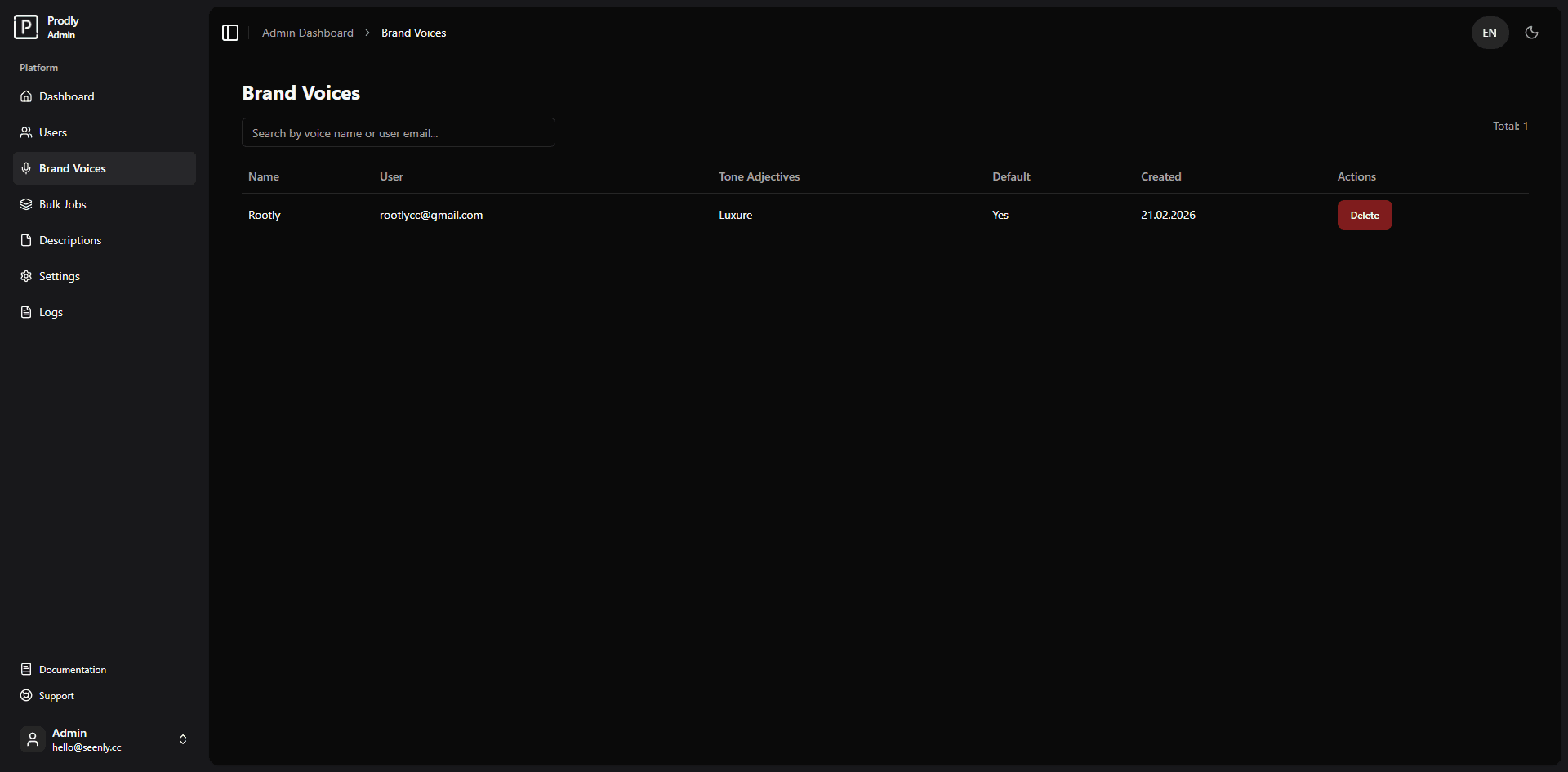 Example of the brand voices management interface (screenshot placeholder)
Features
- View all brand voices – Table columns include voice name, owner (user email), tone adjectives, default status, creation date, and actions.
- Search voices – Real‑time search by voice name or user email (debounced to reduce server load).
- Delete voices – Permanently remove a brand voice with a confirmation step.
- Pagination – Navigate through large voice collections with intelligent page numbering.
Managing Brand Voices in the Admin Panel
Viewing all brand voices
Navigate to Admin Panel → Brand Voices. The page displays a paginated table of all voices.
- Name – The user‑defined name of the voice profile.
- User – Email of the user who created the voice.
- Tone Adjectives – A comma‑separated list of tone descriptors.
- Default – Indicates whether this voice is the user’s default.
- Created – The date the voice was created.
- Actions – Contains the Delete button.
Searching for a voice
Enter text into the search field. The search filters voices by both the voice name and the owner’s email address. Results update automatically as you type, and the page resets to the first page of results.
Deleting a voice
Deleting a brand voice is permanent and cannot be undone.
- Locate the voice you want to remove.
- Click the red Delete button in the corresponding table row.
- A browser confirmation dialog will appear – confirm the deletion.
- A success toast notification confirms the removal, and the table refreshes automatically.
Technical Details
- Data source:
brand_voicestable joined withuser_profilesto retrieve the owner’s email. - API endpoints:
GET /api/admin/brand-voices?search=...&page=...&limit=10– fetches paginated voices.DELETE /api/admin/brand-voices?id=...– deletes a specific voice.
- Debounced search: Implemented with
lodash/debounce(500 ms delay) to avoid excessive API calls. - Pagination: Uses a configurable page size (default 10) and generates a compact page range with ellipsis.
Components Used
- Table – Displays the list of voices with column headers.
- Pagination – Provides navigation controls.
- Input – Search field with debounced change handling.
- Button – Delete action and pagination links.
- Toast – Notifications for success or error feedback.
Conclusion
The Brand Voices Management page gives administrators full visibility into user‑created tone profiles. With powerful search and simple deletion, it ensures that the platform maintains only relevant and appropriate brand voice entries.